
Windows’ Snapdragon PCs are awesome… even if they still need some tweaks

They’re borderline perfect, albeit with one major flaw…

It’s been just over three months since Microsoft unveiled their ARM-powered Copilot+ PCs, outright challenging Apple’s M-series MacBooks when it came to their dominance in performance and battery life. The whole world was skeptical, and rightly so, considering Windows’ past history with ARM-based computers. But thankfully, after two months this skepticism has proven to be mostly unwarranted, because to put it simply, these machines are amazing, even in this early state where they aren’t perfect for everyone just yet. To put it simply, if you envied the battery life of M-series Macs, you can rest easy. Not only are you able to now get the same level of power efficiency and performance on Windows, but you can get it in some of the best machines to ever come out this year.
We’ve put up a Linus Tech tips and Dave2D video above specifically to show these points. When it comes to benchmarks, nearly all of the available machines are in competitive range or often outright beating what the M3 MacBook Air and sometimes the M3 Pro MacBook Pro can offer. This is usually in multicore workloads, as admittedly, the single-core performance of the M3 is actually often better. But all these machines start with more cores, and since even these slim Windows machines come with fans, they don’t mind pushing those cores and cooling them off with amazingly quiet fans. This is why they match even the M3 Pro MacBook Pro in a lot of tests. An unintended consequence but a happy accident. Especially when it comes to machines like the Surface Laptop 7 or the Asus Vivobook S15, which in multiple configurations have proven to often be the best performers of the bunch. This doesn’t mean these are the ones to choose, however, as again there’s a huge range of machines to choose from here.
But they clearly aren’t all equal. So which ones are the best ones? Or which ones should you get if you want more battery life? Power? The best build quality? Or impressive form factor?Well, that’s why we put this article together, to show not only that these machines are actually that good at matching M-series machines at performance and power, but to show off how some of these are the best Windows machines ever created in the past few years, especially if you love thin and light machines. So let’s get into it.
The perfect Specimen: Microsoft Surface Laptop 7

We put up a Linus Tech Tips video above that pretty much states one truth, this machine might not actually have any single outstanding feature, but it delivers in every single feature it does have honestly, if there is a thesis statement for why these machines are great, this Surface laptop 7 (aka 7th edition) takes it. You want a beautiful, refined, slim design? Check. Awesome battery? Check. Gorgeous screen(with touch)? Check. Great specs and power? Oh definitely. Oh, and it has a 120Hz beautiful display. Combine that with a cheaper Snapdragon X Pro version that starts at $1000 and is still faster than the M3 MacBook Air, and honestly, you can get why Microsoft is so proud of this machine.

It also has storage upgradability, something which a few of these machines unfortunately skimp on. Basically, anything you may find as a flaw on this machine is probably based on a specific use case that another machine may do better. For example, the ASUS Vivobook S15 starts with 512GB of storage vs the 256GB on the Laptop 7, while the Surface Pro 11 offers OLED screen options that this machine doesn’t have. But put those nitpicks aside and honestly. It’s hard to go wrong here.
The awesome Alternative: Lenovo Yoga Slim 7x
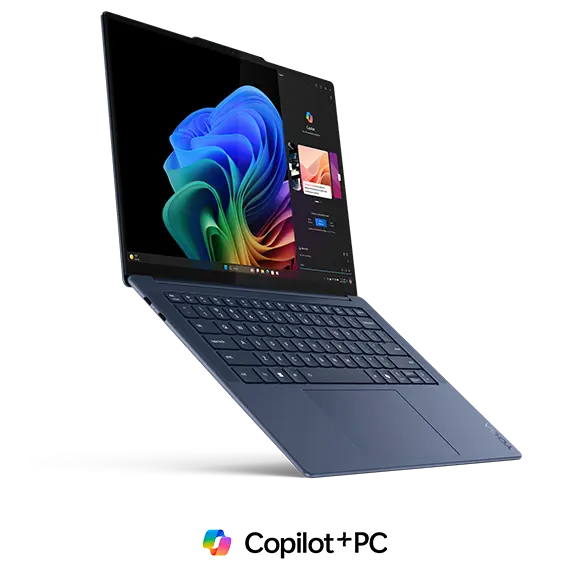
Say what you may about Lenovo but each year they continue to prove that they have the premium hardware chops to match some of the best players out there, and often adds extra niceties that the likes of Microsoft and Dell sacrifice sometimes. This is pretty much the exact case with Lenovo’s premium Snapdragon machine. The Yogo slim 7x could be pretty much seen as Lenovo’s own spin on the Surface laptop, with a thin, well built design, great battery, and an even better port selection. What Lenovo brings to the package to make themselves different, however, is a better keyboard, an amazing 90Hz OLED screen, and in seemingly most cases, more power. This is one of the machines that from the jump has been competing in some benchmark with M3 Pro machines not just the regular MacBook Air, which to say the least is extremely impressive. Add in what’s one of the best-performing batteries in this laptop class, if not arguably the best one of the bunch, and you get that trademark Lenovo ingenuity where they used the smaller size of these new processors to meaningfully improve an area they knew people would care about.

The Slim 7x also starts at a 512GB storage configuration but that’s probably bolstered by the fact that it starts at $1200, only coming with an X Elite processor(specifically one of the more powerful ones, we’ll get into it later) hence not aiming for a lower price point like the Surface Laptop does. But this price is the exact one as the MacBook Air M3, and the starting price for the X Elite Surface Laptop and other X Elite machines in this lineup, many of which come with 256GB instead of the 512GB. Hence the Slim 7x maintains its viability, especially being a great balance between practicality, power, and some pretty awesome looks.
The simpler man’s choice: ASUS Vivobook S15
By now you’re probably getting a pretty good idea of what Microsoft wants to push as a Copilot Plus PC. Besides the battery life and performance, there’s the great RAM, build quality, and probably an awesome touchscreen display with a high refresh rate. Now what if one manufacturer decided a touchscreen is not that important and put that money toward more internal storage and cooling for performance boosts? That’s exactly what ASUS did with the S15. Let’s make this clear, this is ALSO a 120hz OLED screen that’s beautiful to look at, despite the lack of touch. But it also comes with a 1TB SSD, more ports than almost any other machine here, and despite having the “slowest” X Elite processor, its slightly thicker chassis allows it to boost speeds to be one of the best-performing machines here (at least when on power). Simply put, if you don’t mind losing a fancy touchscreen, and appreciate power and storage more, this might be your machine, as its simpler design choices make it a reliable fighter for anyone who wants a workhorse machine.
The pretty one : Dell XPS 13 Plus/ XPS 13 Snapdragon
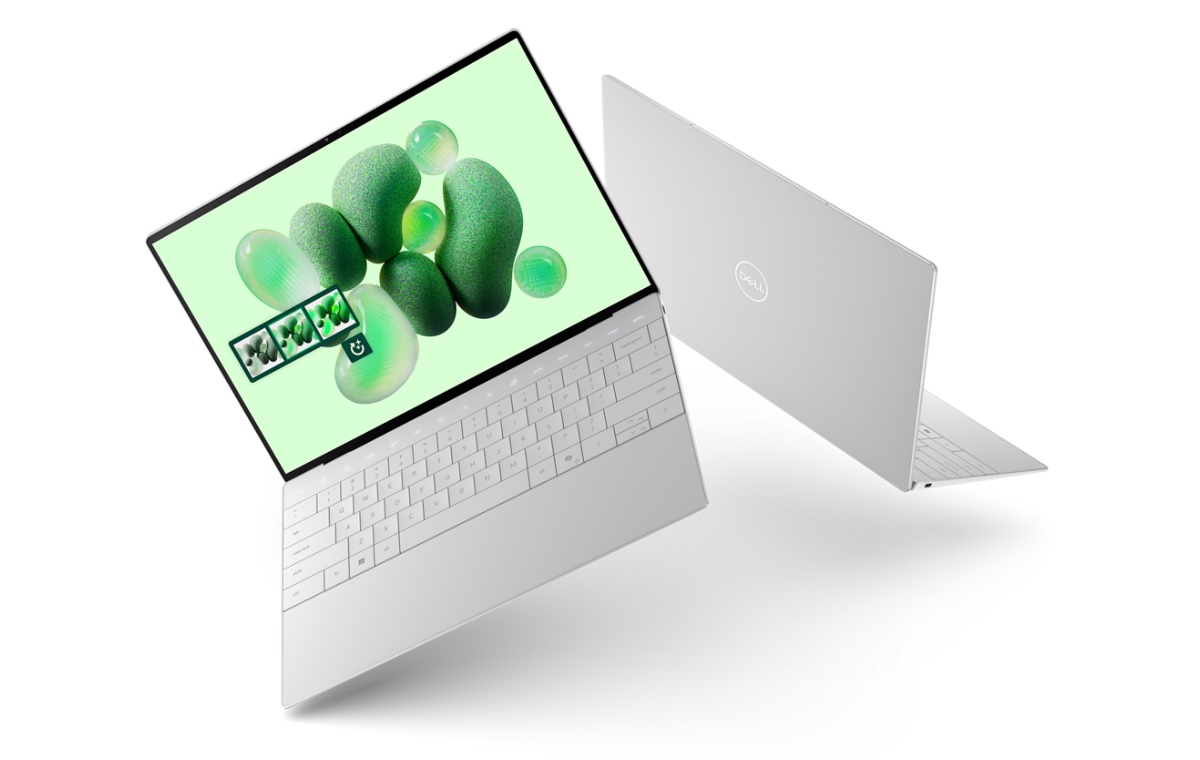
Dell’s last XPS 13 Plus was the first machine to bring a real warning shot to the then-supreme M1 MacBook Air. It looked twice as good, was almost twice as fast but unfortunately drained the battery almost twice as quickly too. That futuristic design became the basis for the regular XPS 13 (with all its pros and cons) and Dell basically saved the “Plus” moniker to mean testing a new technology that they can implement later everywhere else. And in this case that tech is the Snapdragon processors, making this machine a little faster, still twice as good looking with just as much battery life as the M3 MacBook Air.

It also stole a trick out of Apple’s playbook and has the first 3K DUAL-OLED display on a Windows machine (what Apple calls the tandem OLED in the iPad Pro M4). And if you get that spec, you get one of the brightest, most beautiful displays on a Windows machine ever, its only competition being two other machines on this list that both take a different approach. Dell also offers an LCD spec option that saves on the bank but also has some of the best battery life ever on a pc, while the DUAL-OLED model actually has some of the worst battery for these specific PCs. Its only fault? Well it’s still the XPS 13 Plus design AKA the one with only two USB-C ports and no headphone jack. And I don’t care how many design awards this thing might win, it is in no way getting a pass for such when even Apple saw the error of their ways and added ports back by the M2 MacBook Air. Yet Dell still insists that this thing is “THE FUTURE”. The future of what? For whom? You don’t even have a dedicated ecosystem with earbuds like Apple or even FREAKING MICROSOFT do. Simply put, this is the Achilles heel of an almost perfect computer. If it doesn’t bother you, go ahead and splurge on it, and enjoy all the luxury it brings. But if you use a PC like a lot of us do (with maximum utility in mind) then you might want to skip this one. Especially when we start talking about that touch bar.
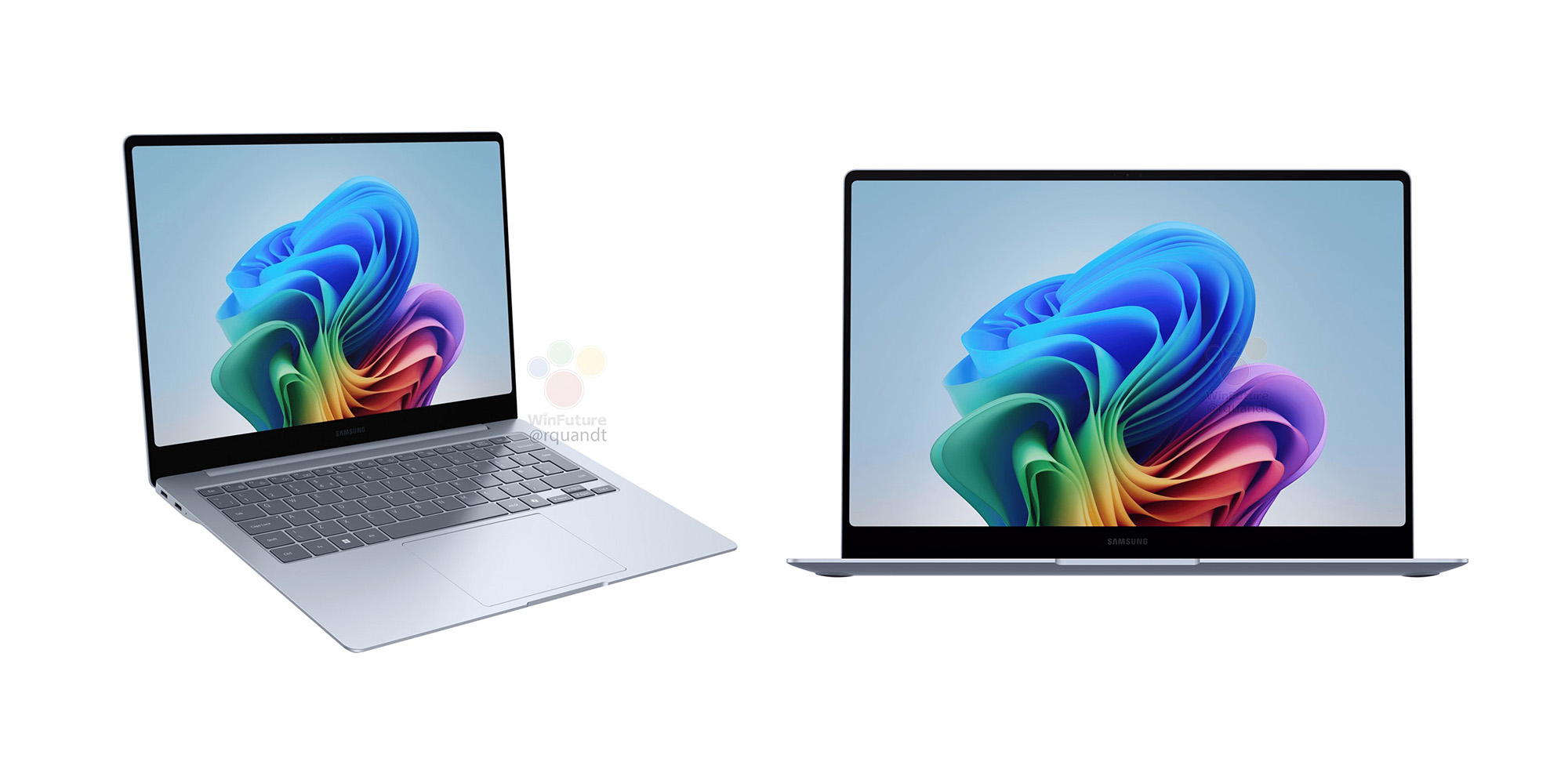
The More Practical Pretty One: Samsung Galaxy Book 4 Edge

Remember those two machines we said can compete with the XPS when it comes to screens? Well say hello to number one. The Galaxy Book 4 Edge has one awesome feature that steals the show: a gorgeous 4K display which honestly is some of Samsung’s best work (and if you know anything about Samsung displays you know that’s saying something). It has another standout feature that unfortunately fails to impress as much – the most powerful Snapdragon X Elite variant. Which on paper, should make this the best machine on this list but we’ll, Samsung made a few first-generation oopsies, and unfortunately this machine throttles in such a way that it performs somewhere in the middle of overall testing (the video reviews should show that). It’s still a great performer however, and still packs some other features that are genuinely worth appreciating.

Starting with a great port selection, aka one that remembers that USB-A is what most people around the world use, then adds a micro-SD card slot AND a full HDMI port. All while being as slim as the Surface and the XPS. It also somehow has a full numpad on its far right side. Do people need this in a 14-inch thin and light? I don’t know, but I definitely am not going to say no to one. The only unfortunate side effect of this is Samsung deciding the trackpad should be indented to the left rather than be in the center like basically every premium modern machine nowadays. Not the greatest dealbreaker, but again, a miss where Samsung could have easily kept some points. It’s still on the slightly more expensive side starting at $1350, but Samsung is rushing to put these on sale and offer credit to buy stuff like their phones if you buy it in the right market. Simply put, this pretty little machine is literally almost perfect, just often getting in its own way most of the time. The more powerful processor actually hampers it rather than push it ahead, the Numpad helps with productivity but messes up the trackpad and the amazing screen also makes it pricier. If none of these things aren’t an issue for you though (and you have a Samsung phone that can take advantage of its ecosystem), then this looker is just the right machine for you.
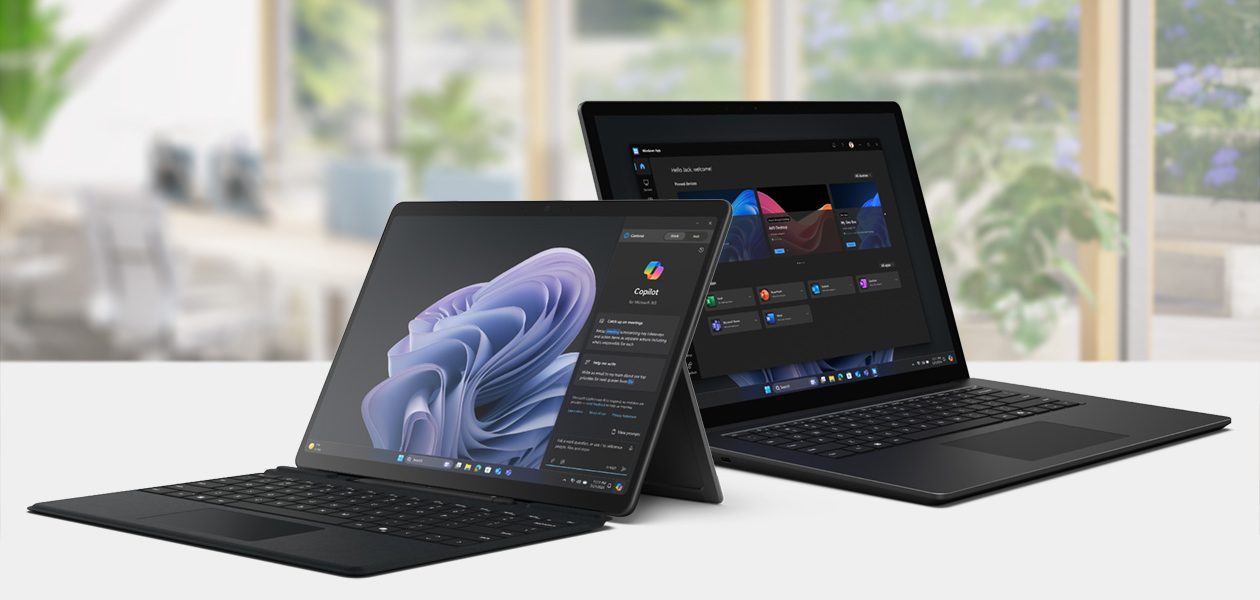
The Surface Pro : Surface Pro 11 / 11th Edition
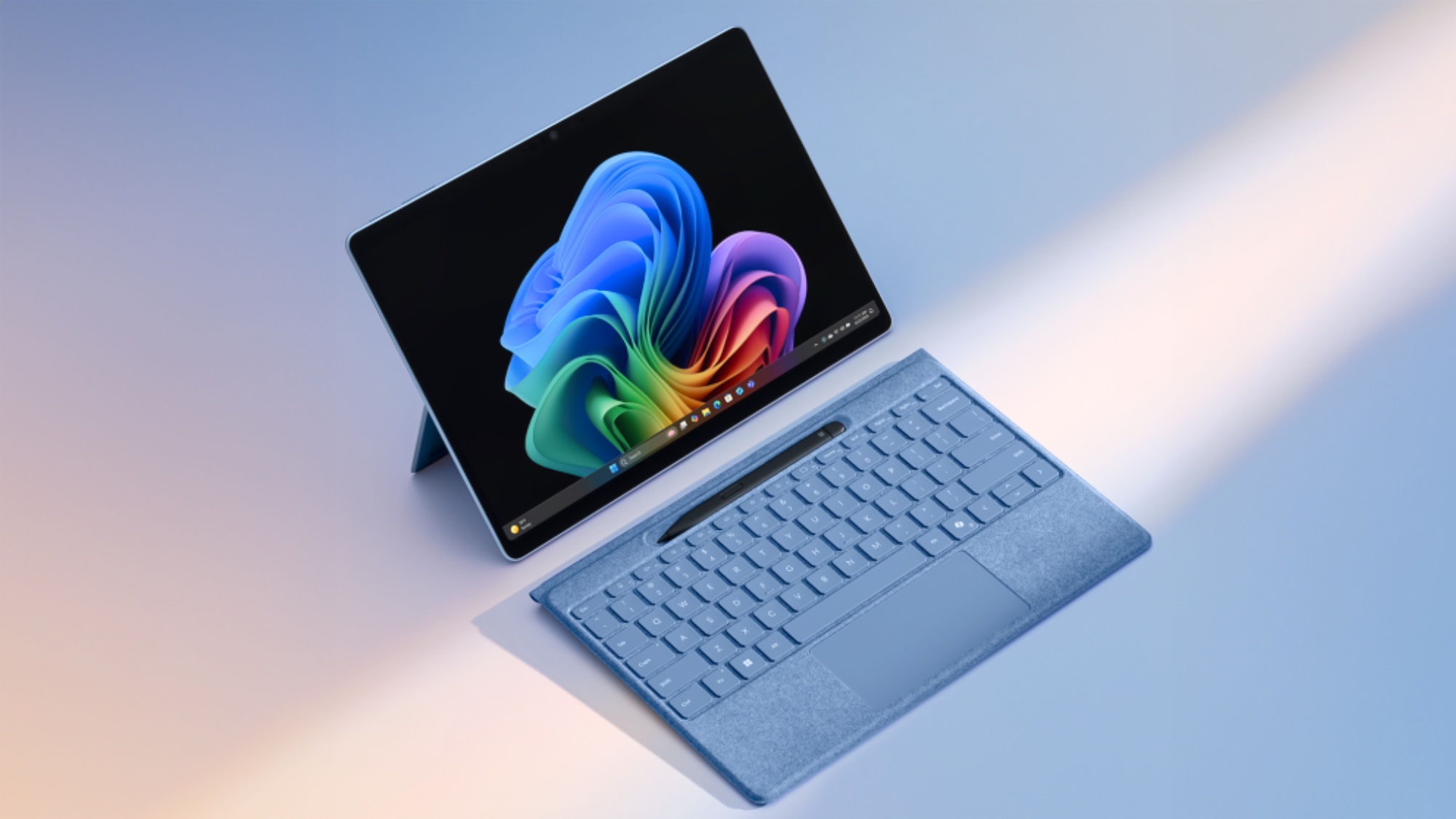
That wasn’t a typo, we literally gave the Surface Pro 11 the title “The Surface Pro” because surprisingly, almost none of these machines (except one other) are tablets or 2-in-1 convertible, which to me makes no sense because if you are trying to push AI-powered PCs that have amazing battery life and creative enhancements for image generation, writing on the go and so on, then I would think thin and light machines that either are tablets or can switch between tablet/laptop form factors are the actual goal. And yet whether due to relative inexperience with the new processors or more likely, directly going for the MacBook Air, Microsoft finds themselves creating one of only two tablet-style convertibles in this range of machines, and well they made the most premium one, as expected. The Surface Pro 11 is basically what the Surface Pro 8 and 9 were always meant to be: power, portability, and tons of battery life. That last one was always held back by Intel chips but now that’s not a problem with either the Snapdragon X Pro or X Elite versions of this machine. Microsoft didn’t stop there though. On the X Elite version they also added a gorgeous 120hz QHD OLED screen that’s not as bright as the Dell XPS’s but honestly if you don’t care about that it’s up there with the Samsung and the Dell.
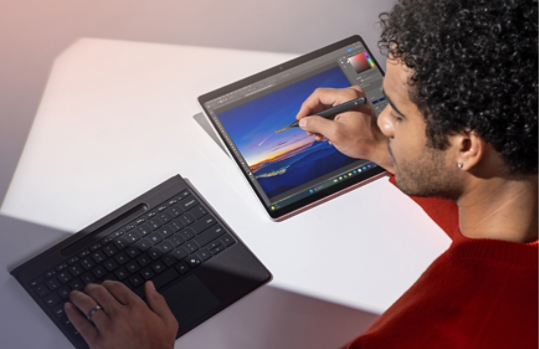
There’s also a new Flex Keyboard that finally allows you to use the keyboard even if you prop the tablet up on a desk or connect it to an external display. The rest is pretty much what you’ve always expected from a Surface Pro : great portability, amazing build quality, and awesome performance. Unfortunately, that includes the lack of a headphone jack removed since the Surface Pro 9, to which I say “Dear Microsoft, you’re not Apple either, cut it out” and hope one day they listen. The other big flaw with this machine is that it doesn’t come with the new keyboard or the pen, as always, which sucks because Microsoft keeps this as a very conscious decision partially due to low competition.
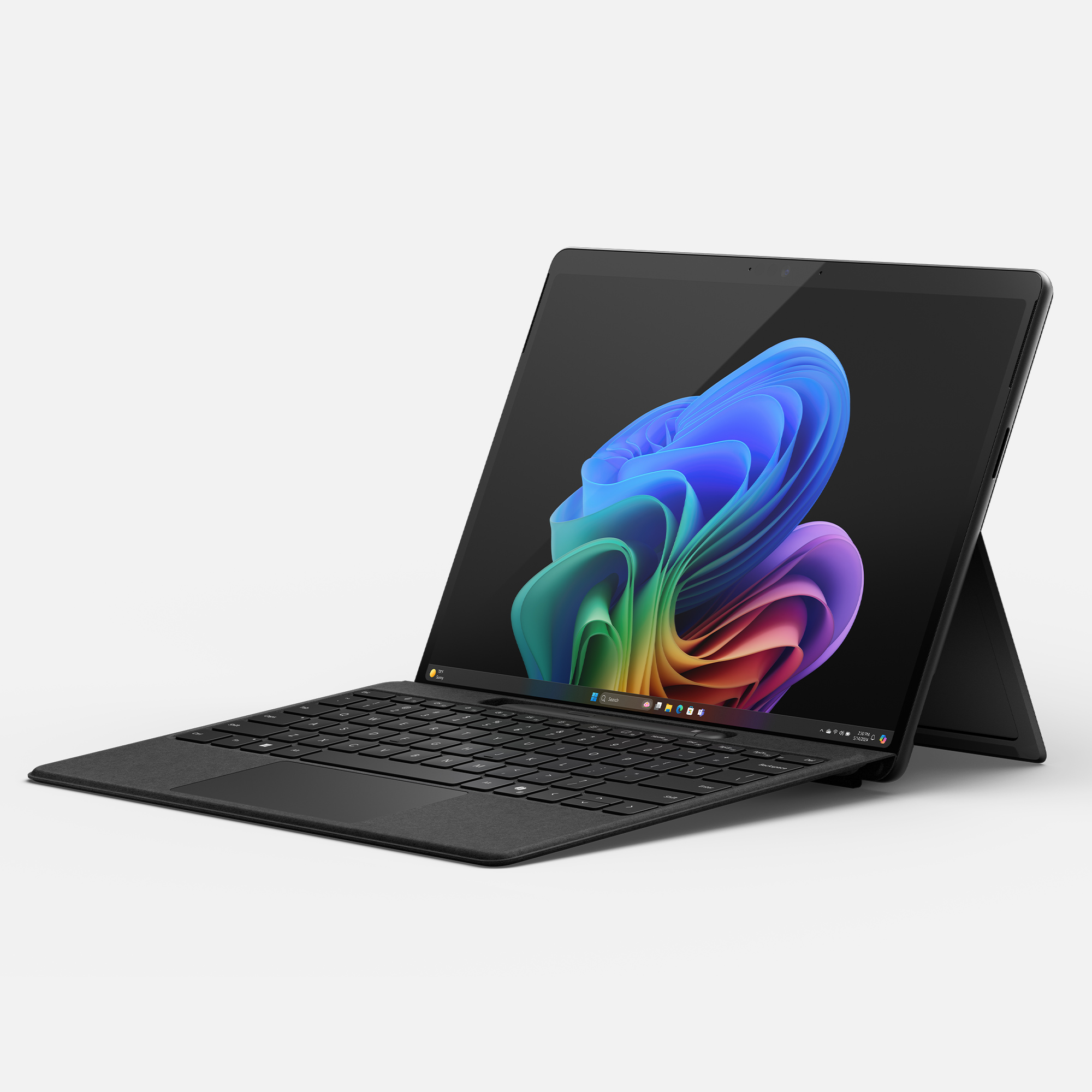
The biggest problem for me however is the fact that the OLED screen is limited to the X Elite variant, despite testing proving that it’s actually not that great, especially when compared in benchmarks to the X Plus variant. We get why Microsoft had to put an X Elite in this machine as it’s the equivalent of giving it an Intel Core i5 and Core i7, but keeping the screen only on this model sucks considering one might want the cheaper starting price and better battery of the X Pro but have to settle for the higher price and lower battery performance that the X Elite comes with. This is something that may not make you shy away from the Surface, but it definitely makes the version of it you probably want an overall more expensive machine, despite the X Pro variant starting at $1000, which is why we’re glad that its one alternative is actually a dang good one.
The AFFORDABLE Surface Pro: Asus ProArt PZ13
Now let’s be clear, this machine is not quite as luxurious as the Surface, and neither does it have a 120hz screen, the Flex Keyboard, or an X Elite processor. But what it lacks in the extras it makes up for in practicality and nailing the fundamentals. Here’s another tablet style 2-in-1 with the same Snapdragon X Pro processor, a respectable 60hz OLED display, a magnetic keyboard cover that also acts as a kickstand, and an awesome pen of its own while matching the Xpro variant of the Surface Pro 11 in everything else. And while it starts for $100 more, it includes the pen and keyboard IN THE BOX unlike Microsoft. It also includes a much, MUCH better port selection. While Microsoft somehow thinks two USB-C ports is enough for your everyday work computer, this thing proves them wrong by having: 2 USB-C ports,a headphone jack, a full SD card slot. Still within the tablet threshold, but ASUS didn’t think the headphone jack should be sacrificed or the ability to quickly edit photos from your camera.
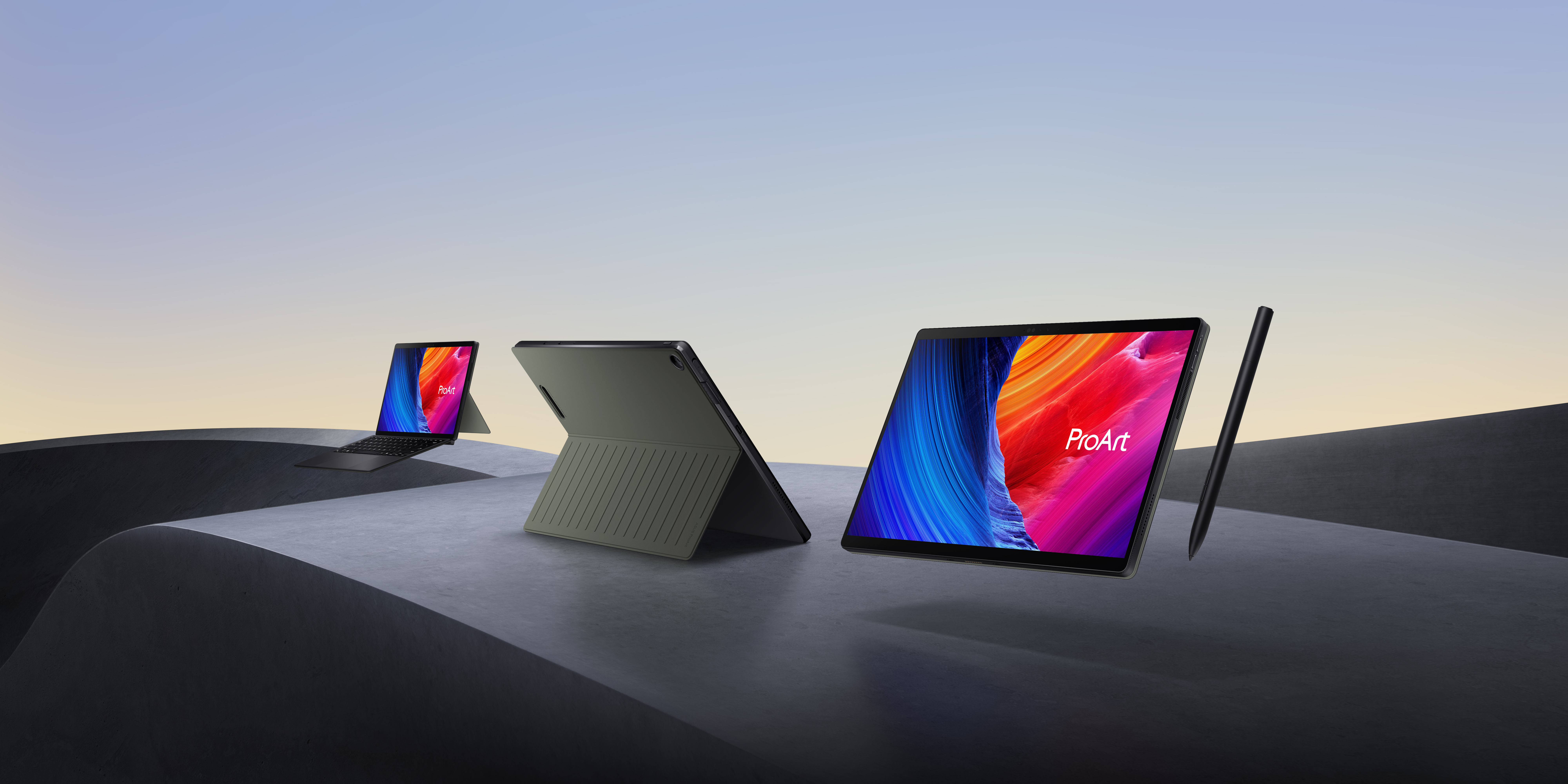
It makes this machine exactly what we said it is the practical option. While the Surface Pro 11 is probably fine if you already have a beefier machine you do the more serious work on, the PZ13 is built to be the only machine you need. So maybe consider it, and forgive the weird name.
The Achilles heel
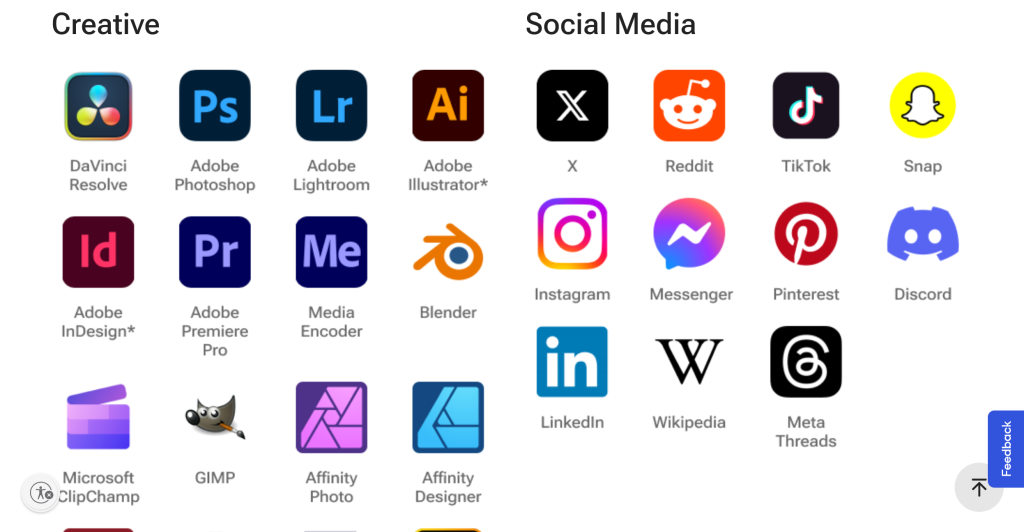
We’ve been talking so far about where these machines excel, and every reason why you should buy them, but we have to still bring up where they still fall short: compatibility. If you’re reading this you probably already know that the new ARM architecture these machines use is not the same one as the X86 architecture that most Windows machines have been using since the 1990s. This means that while the vast majority of popular programs run on these machines, whether “natively”, which is when the apps are built with ARM processors in mind, or emulated, where the Prism emulator that Microsoft built for these processors, basically emulated being a regular X86 machine and runs the program. And since these new chips are VERY POWERFUL, they can do that without you noticing any difference in performance. But, some programs are very architecture-specific, requiring a specific tool or feature that only an Intel processor contains such as their V-Pro technology.
This is without considering other specialized features from other devices like graphics cards as well. All of this is actually why games are one of the biggest pain points for Snapdragon processors. When it comes to sheer power, these processors can actually run a lot of games better than most 13th-generation Intel processors of their class and AMD equivalents as well. Proof of this is in how these games run the likes of Baldur’s Gate 3. However, some games use the aforementioned specific technologies for other features like anti-cheat software, making a lot of them outright unable to run on these machines until the game developers offer patches to work on the new hardware. It’s not an impossible situation, after all, Intel themselves faced similar issues with their recent ARC graphics cards. However even those can be a testament as to how long game companies take to adopt new tech for their games, so hopefully, it gets rectified. Basically however, if you want to game on these machines or have a very specific program you use for work that needs X86 processors, you may want to hold off on these machines. Which brings us to the last major point.
The competition and the Windows problem.

When Qualcomm started talking about these upcoming Snapdragon chips last year, it seemed like not only would they be the saving grace Windows needed in competing with MacBook chips, but that they were the only ones doing so as well. Intel and AMD both seemed like they were giving the same old promises as to why and how they would catch up, and pretty much no one expected anything out of them. And yet by the time we’ve released this article, both have released processors and laptops that make it clear that Qualcomm’s advantage isn’t a big one, and you may not need their machines if all you want is better battery life. Intel especially have shown that their new Intel Core Ultra Series 2 AKA Lunar Lake are actually just as good as the Snapdragon processors when it comes to power-to-performance ratio and battery life, something we’ll cover more of in the future but basically the gist here is if you thought you maybe had to sacrifice comparability for better battery life you don’t, and Intel is making sure you never switch from their machines. AMD’s new chips while not as outright impressive battery test wise are also within the same range, allowing AMD to stay relevant as well. All of this is great for consumers, because it means you have three options for great processors in a machine and can probably choose the best one for you. It does however add to the troubles that these Snapdragon machines may face in future.
Windows isn’t MacOS, neither are their Ecosystems the same. When Apple released the M1 chips, it made sure they became the default for anyone trying to buy a Mac. Yes, some machines took a while to be switched in the two-year transition period, but basically, if you wanted a Macbook Air or Pro , you had to buy and M1 version. If you weren’t sure whether your work would be supported, hold on to your current one while developers create an ARM version of the app. It worked , and now every Mac machine has an M-series cheap in it. But that’s not exactly how Microsoft and Windows work, unfortunately. For example Microsoft themselves did kind of go all in with the newest Surface devices, pitching them as the flagships of these Copilot+ PCs and even risking a bit of their reputation with them in the same way Apple did. Unfortunately, Microsoft then can’t ask the same of its OEM partners like DELL, Lenovo, HP, and so on. These companies still need to keep sales going on their existing machines so they can’t outright get rid of those product lines or completely replace them with Snapdragon machines like Apple did, especially since 50% of the Windows ecosystem is enterprise and corporate users who may need those old legacy features that x86 chips support. This is why while Lenovo has one of the best Snapdragon PCs, they also have an Intel Core Ultra 2 machine that is basically designed to kill it. And again, Microsoft can’t tell these companies not to do that even if they may specifically prefer ARM machines. And thus this is where Microsoft and Windows unfortunately stand in the way of these new machines. Especially since even aspects like their roll-out were incredibly delayed and why we pushed this assessment to basically three months later when we could get long-term reviews and accounts of their viability.
All of this is fine print however, and honestly if all you care about is whether these machines are great, the answer is STILL yes. You may want to steer clear if you are a gamer or know that your specific work program isn’t supported, but if none of these things are factors, then get yourself one of these Snapdragon machines, because ironically they are all great. Yes, not all are outright best-in-class or MacBook Killers, but all of them will make a huge change to how you use a computer (in a good way) and the reliability and portability you should expect from it. And that genuinely is a game-changer. And even if these machines aren’t your cup of tea, then what’s greater is that they made Intel and AMD machines want to be game-changers as well. And who can hate on that?
Related Stories:

The MacBook Neo is going to be a hit,(mostly) because Windows has dropped the ball dismally as of late.
Almost like taking Candy from a baby...
Read More
2024 was the year of the Infrastructure upgrade cycle
This year's big upgrades in tech change more stuff in...
Read More
The Ecosystem is the Most Important Smartphone Feature Now
It's not just about the phone, its about what works...
Read More
M4 Macs review roundup: Mac Mini is awesome, the MacBook Pros are adequate and the iMac…. Exists
One's amazing, one's alright and one's......colorful?
Read MoreAbout Author