Apple’s developer conference this year showed the company’s confusing state in 2025

It’s not a fall off…but it is a little messy

Apple just held its 2025 Word Wide Developer Conference (WWDC) this past week, putting a certain part of the internet aflame with varying takes on where the company is right now and whether you should be worried about it or not. After all, this was supposed to be the WWDC where Apple essentially justified Apple Intelligence, its big AI suite of features and redesigns that would make it stand out and triumph in a world where everyone and their mom is rushing to get a leg up in the AI space. And well, Apple cowered away from it. Instead of proving the worth of something, it had sold the iPhone 16, M4 MacBook, and iPads on, Apple outright admitted it needs more time with Apple Intelligence while spending the conference showing off seemingly everything else. And based on what it showed off, WWDC shows the weird place Apple is in, where some things are clearly impressive, while others show the more tumultuous state of everything. But let’s start by classifying the most important things into three categories: the good, the controversial/ bad, and the ones with potential.
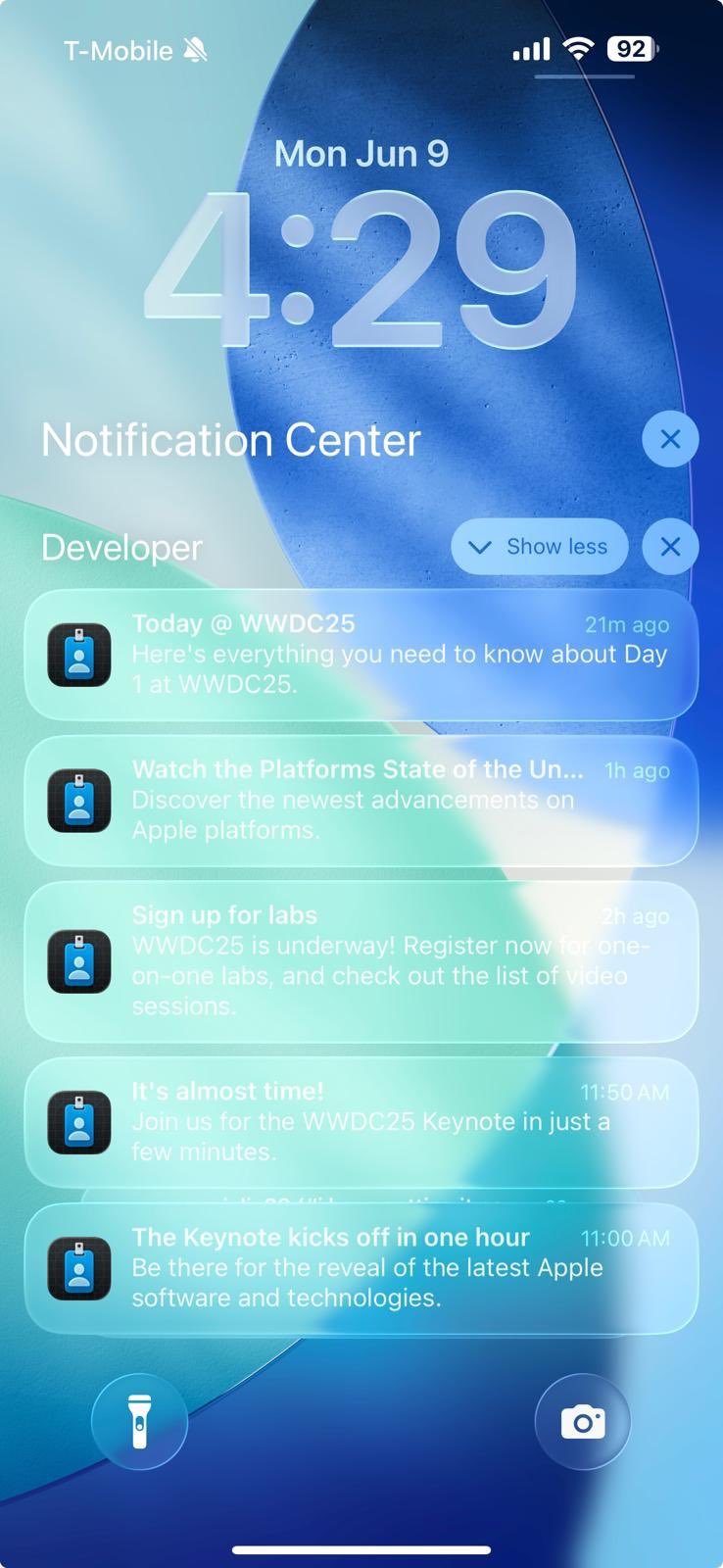
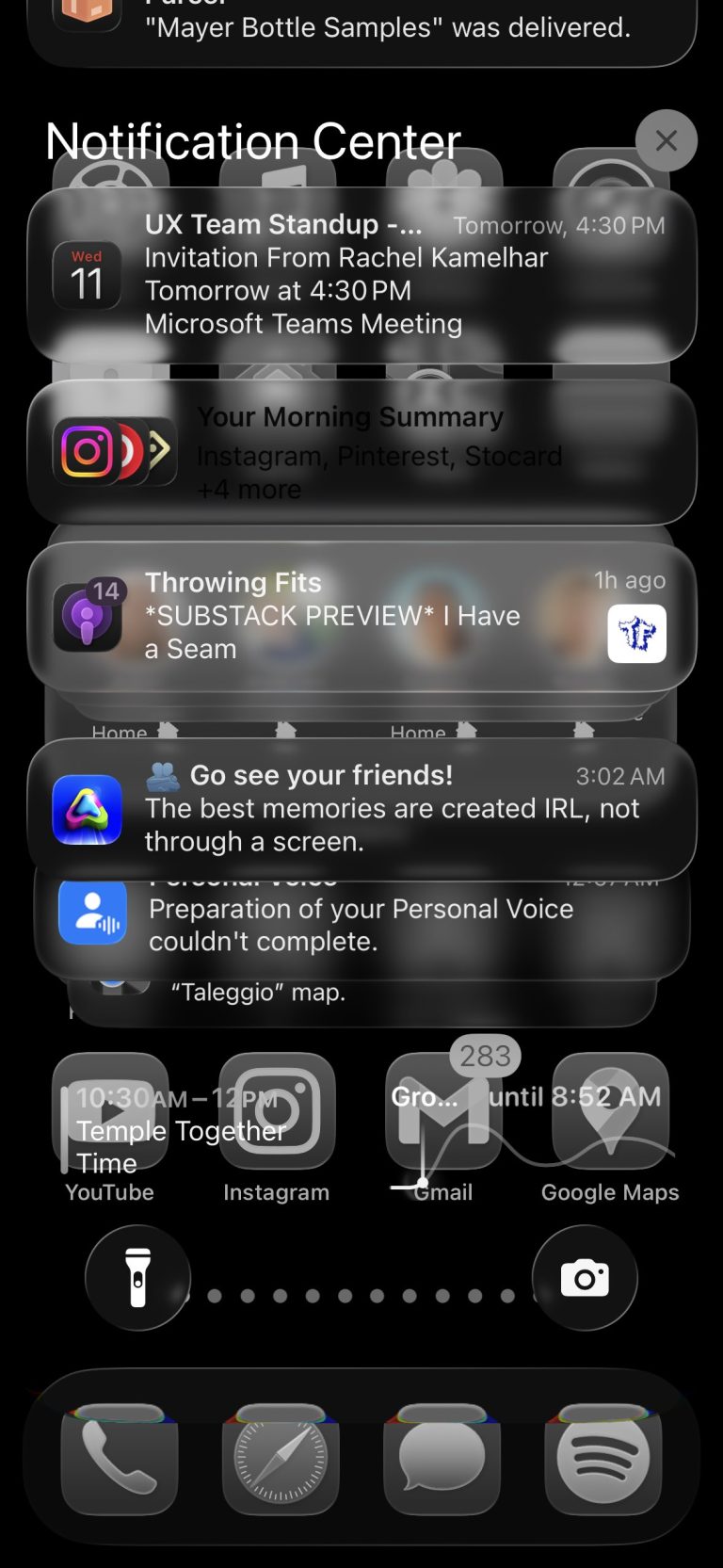
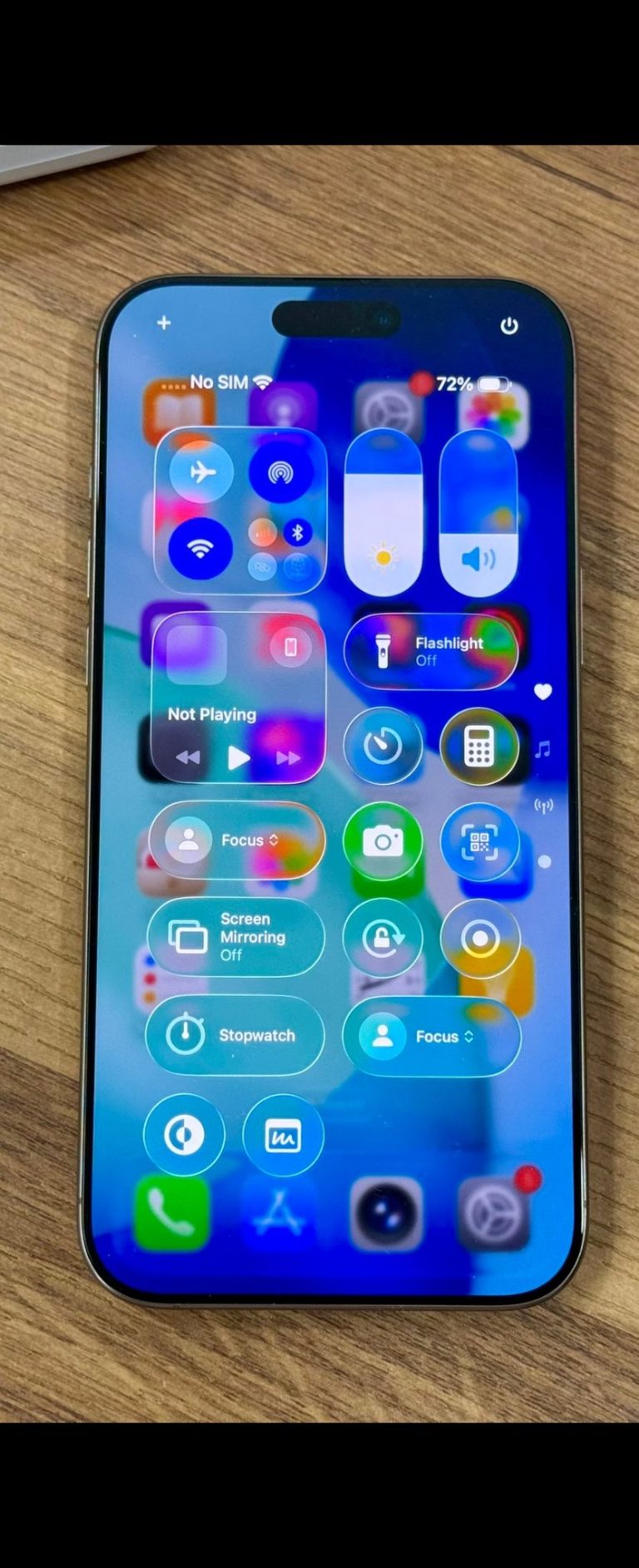
Let’s start with the thing that everyone, including non-techies raved against, Liquid Glass. Apple’s new design language stretches across all its software on iPhones, Macs, watches, iPads, and Apple TVs while being influenced by the Vision Pro’s own VisionOS operating system. Now, right off the bat, this redesign has been met with tons of criticism because, well, in its current (very non-final) state, it looks…weird. Apple’s approach to make everything look like glass and like it’s floating in real space, while impressive for singular apps , tends not to always work with a full-blown operating system inheriting the look. Especially in the current implementation, where things are essentially too transparent, with people unable to even read what is on a certain screen because the white text and transparent graphics won’t mesh well or will show whatever is behind the window or icon better than what’s on the current window. Now again, this is all developer beta software, meaning it will most definitely improve. But for anyone who’s already seen it, it’s left a bad taste in people’s mouths that’s not dissimilar to when Microsoft put out Windows 8 betas or even Apple’s own OSX pre-Snow Leopard days. Now, will that make everyone ditch MacOS or their MacBooks for Windows? Of course not. But what it does bring up is the simple question of why Apple would ship, even to developers, a new UI that honestly looks a lot unlike Apple’s usual approach, but also ship it in a state that just makes it look like one really bad idea.
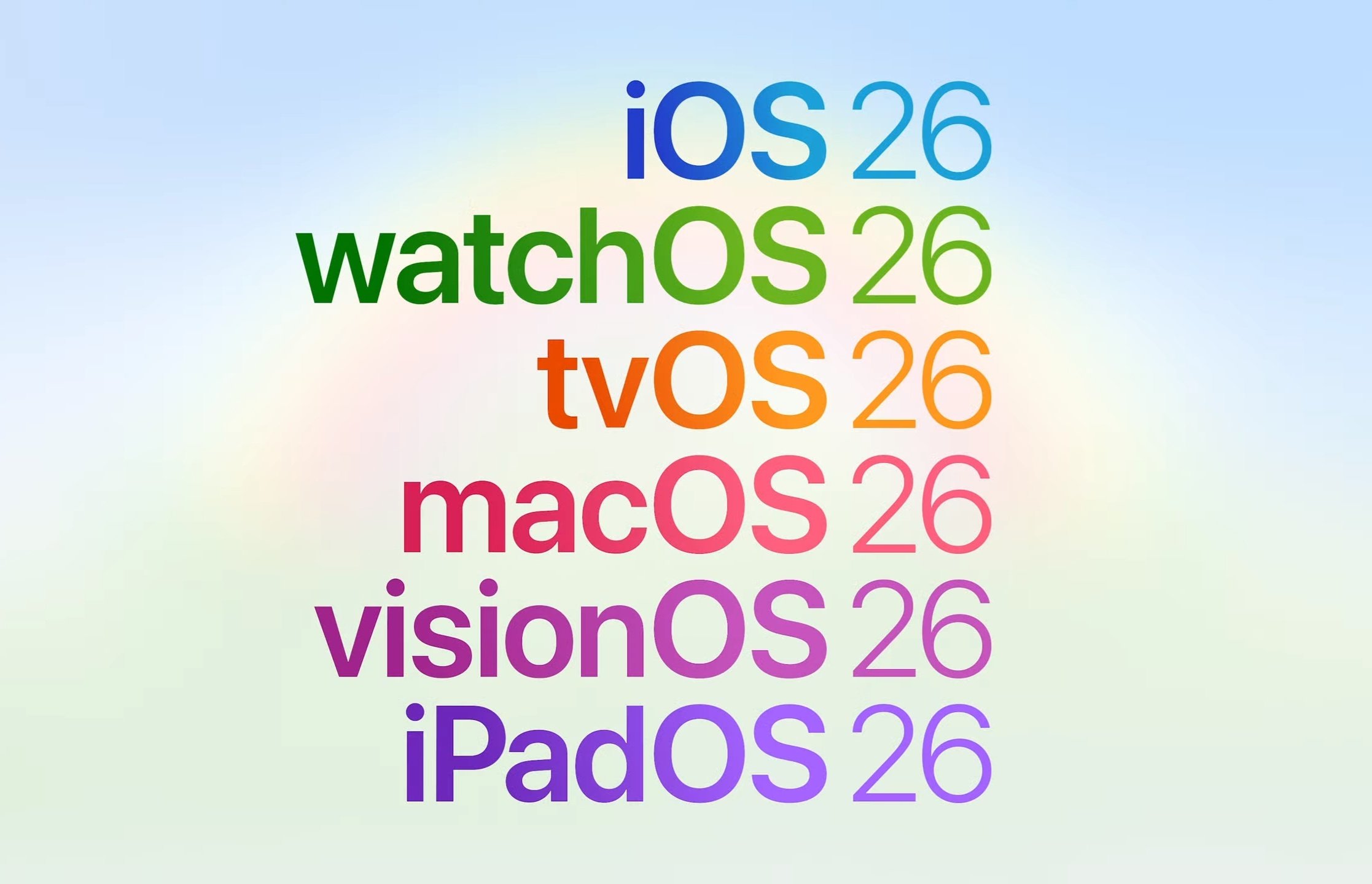
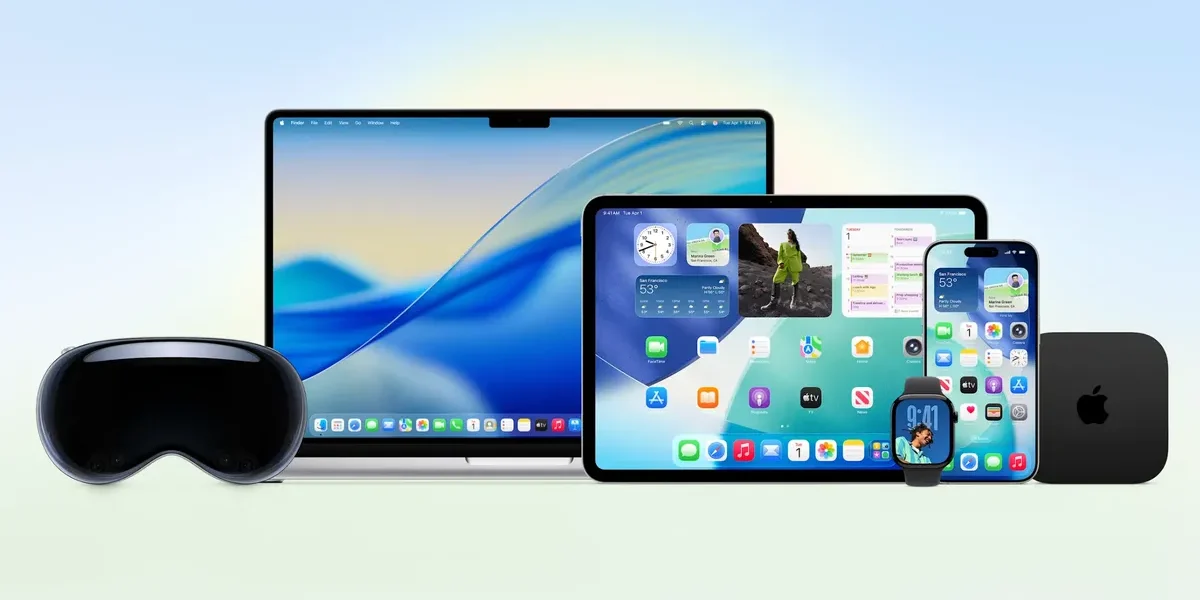
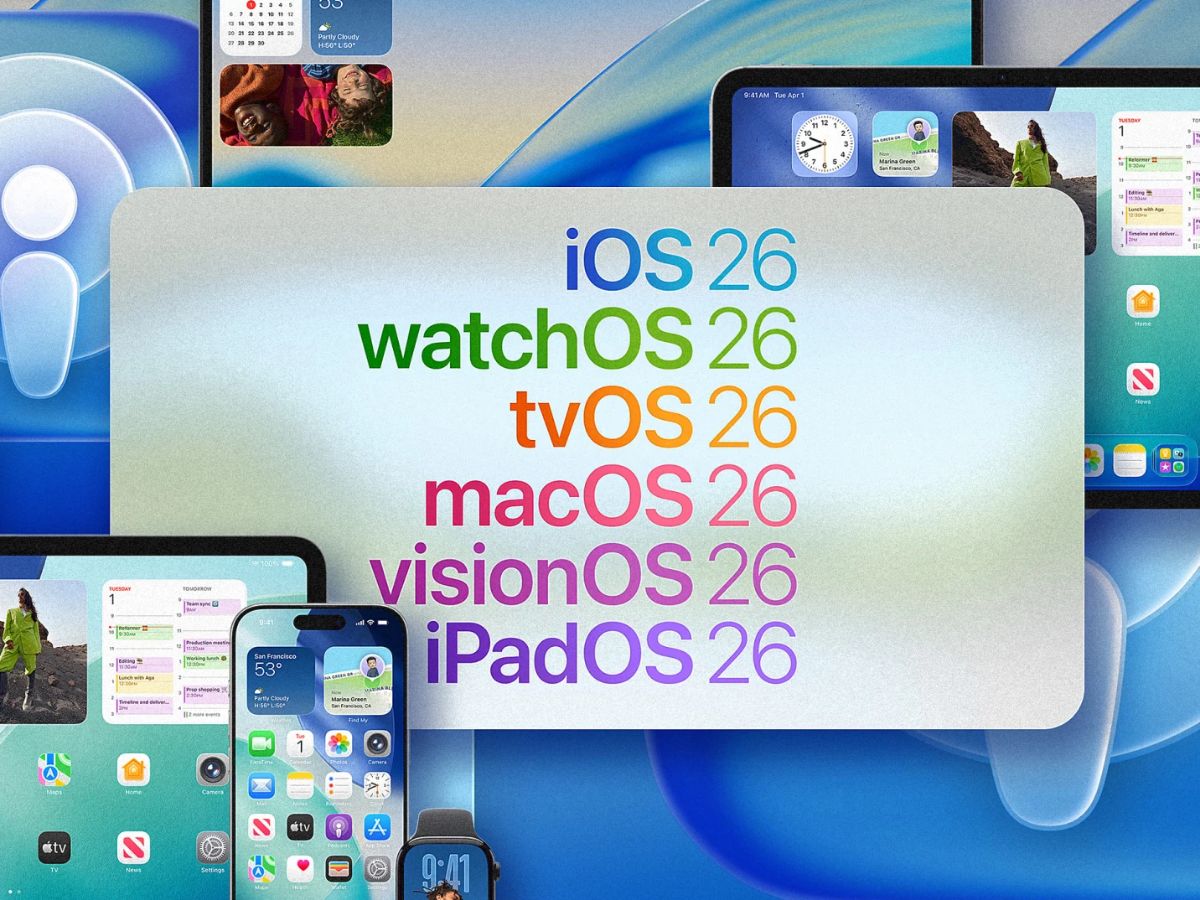
Well, it probably goes back to the Apple Intelligence thing. Again, this was the WWDC where Apple, for the first time in a while, had to prove something. Specifically, prove it can keep up with the advancements and the supposed importance of AI innovations in the tech space. But Apple pretty much admitted they couldn’t do that, so instead they stuck to what they know usually works with their customers: flashy new aesthetics and rebrands. This is why every bit of Apple’s new operating systems has the word 26 behind it. Their version numbers went from iOS 18, iPadOS 18, macOS 15 Sequoia, watchOS 11, tvOS 18, and visionOS 2 to iOS 26, iPadOS 26, macOS 26 Tahoe, watchOS 26, tvOS 26, and visionOS 26. All of this isn’t the biggest deal when speaking from a practical standpoint, but it helps with the marketing push Apple wants here (just look at how the iPhone 16 line sold gangbusters due to Apple intelligence). As such, Liquid Glass is meant to be the other side of that marketing coin, bringing a big new look that makes a lot of people feel like Apple is still on top of their game. However, for Liquid Glass at least, part of this seems to be rushed, and the developer betas are a clear sign of that. Now, can Apple come back from that? Well, it’s Apple, so it’s more likely than not. But this air of desperation the company has is definitely not something people see often.
The Good: Foundational Model Framework, Spotlight, iPadOS 26

Now Apple’s marketing stunts and Liquid Glass shenanigans may overshadow a lot of conversations, but to act like they overshadow everything would be a lie. After all, there are at least three outstanding WWDC developments that are honestly worth the hype that Apple is clearly seeking. Chief Among them for us, is iPadOS 26, because while almost every other big move Apple is making might draw criticism, iPadOS 26 seems to deserve nothing but praise. I’ve personally been harking at Apple and Google to stop wasting the power and capabilities of tablets with mobile operating systems limited by dumb things like poor window management, file management and other weird limitations that at least in Apple’s case only exist for you to still need a Mac. I’m not the only person who has ever said this, and it seems enough of us exist for Apple to finally decide “you know what, let’s make the iPad have even more Mac features”. So right at the top of this list is fluid MacOS/Windows style Window management. Gone are the weird iPadOS switching mechanisms, and Stage Manager is even being put on the back burner for a simple system that allows you to resize and drag apps in the same way you do on a laptop. It also grants window controls for “maximize”, “minimize” and “close” just like a Mac does as well. And along with that Apple has even added proper mouse control support now , as opposed to the weird previous iPadOS implementation that made a mouse act like a hovering finger.
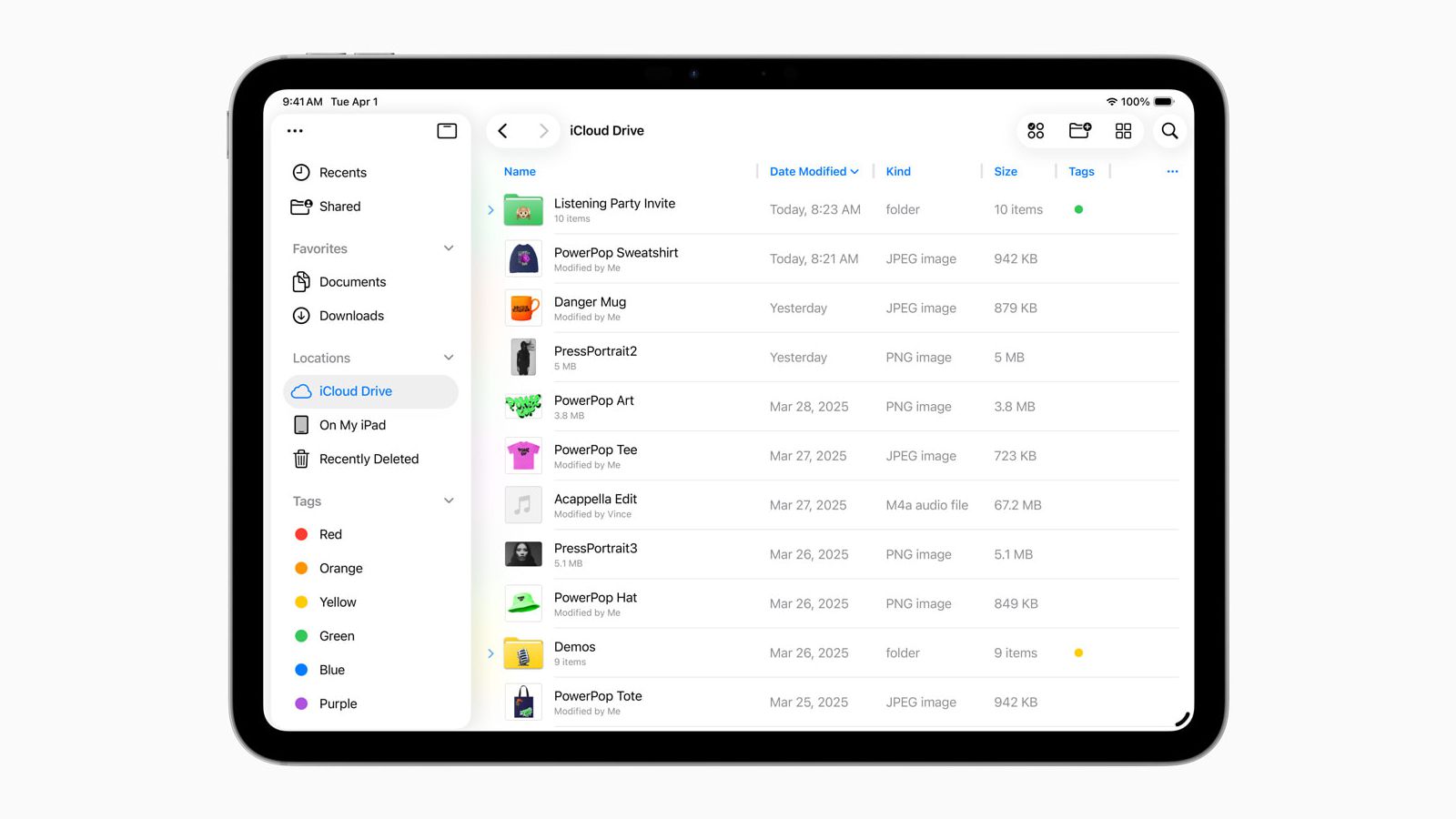
Add in an Apple Files app that now allows detailed list views of files , collapsable and customizable folders and, I kid you not, simple “Open With” and “Default App” functions, again just like a Mac! This honestly elevates iPadOS and iPads in general to being a little closer to full laptop replacements. And yes Apple isn’t the first to do this, Samsung’s tablets and Dex exist after all, but this is a huge step for the iPad as a whole, and personally I’m here for it.
Spotlight (AKA almost AI)
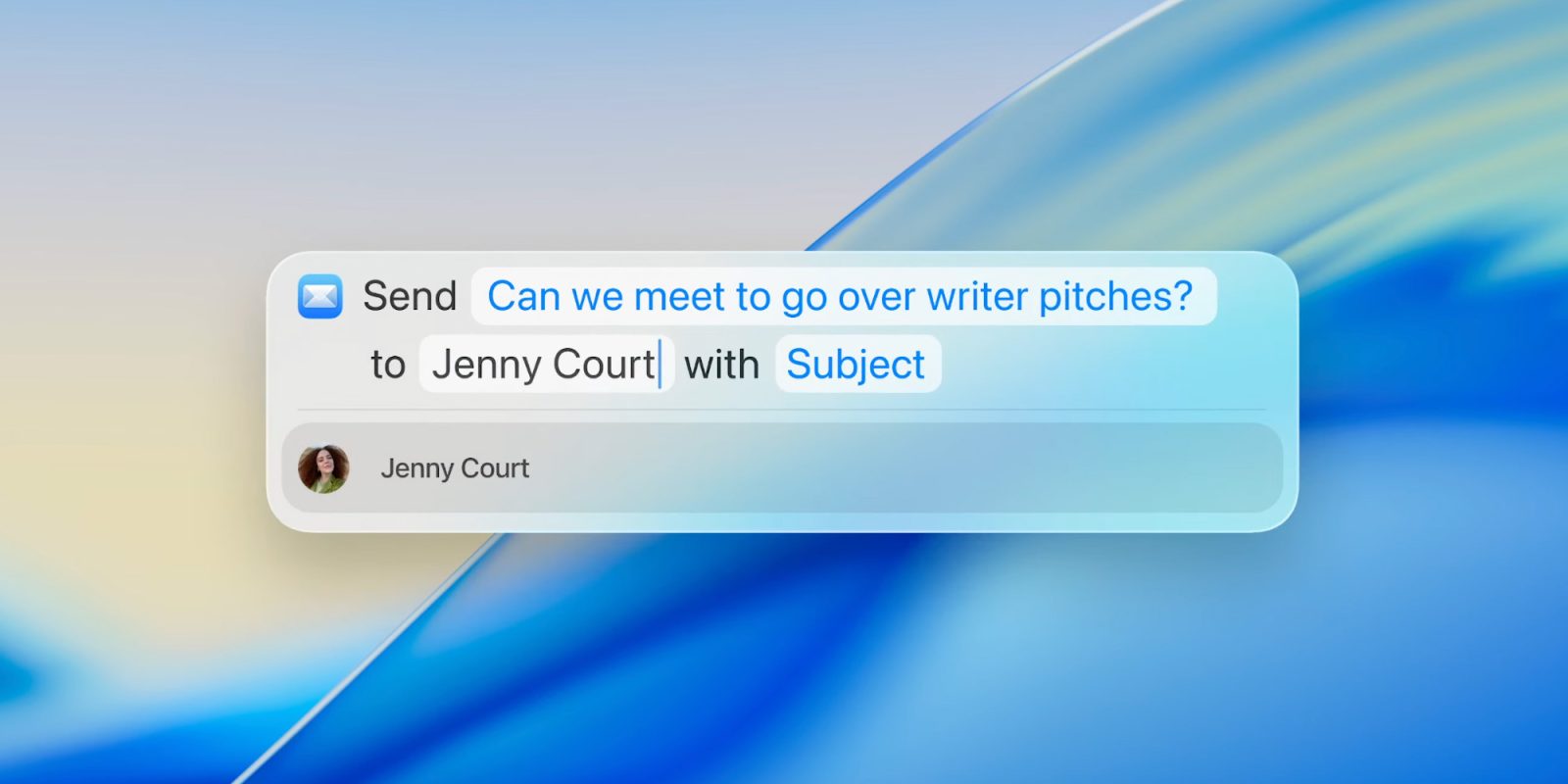
Apple’s Spotlight search tool has either been one of the most important MacOS features or one of the most useless ones depending on who you ask. After all for most people its just a search box for files and stuff, but for power users, apps like Raycast have always shown what Spotlight could become, which is a power full single text interface to control your whole computer with simple text prompts. Apple has essentially supercharged Spotlight into not just a search bar for your laptop, but the best way to control and trigger tasks on your Mac.
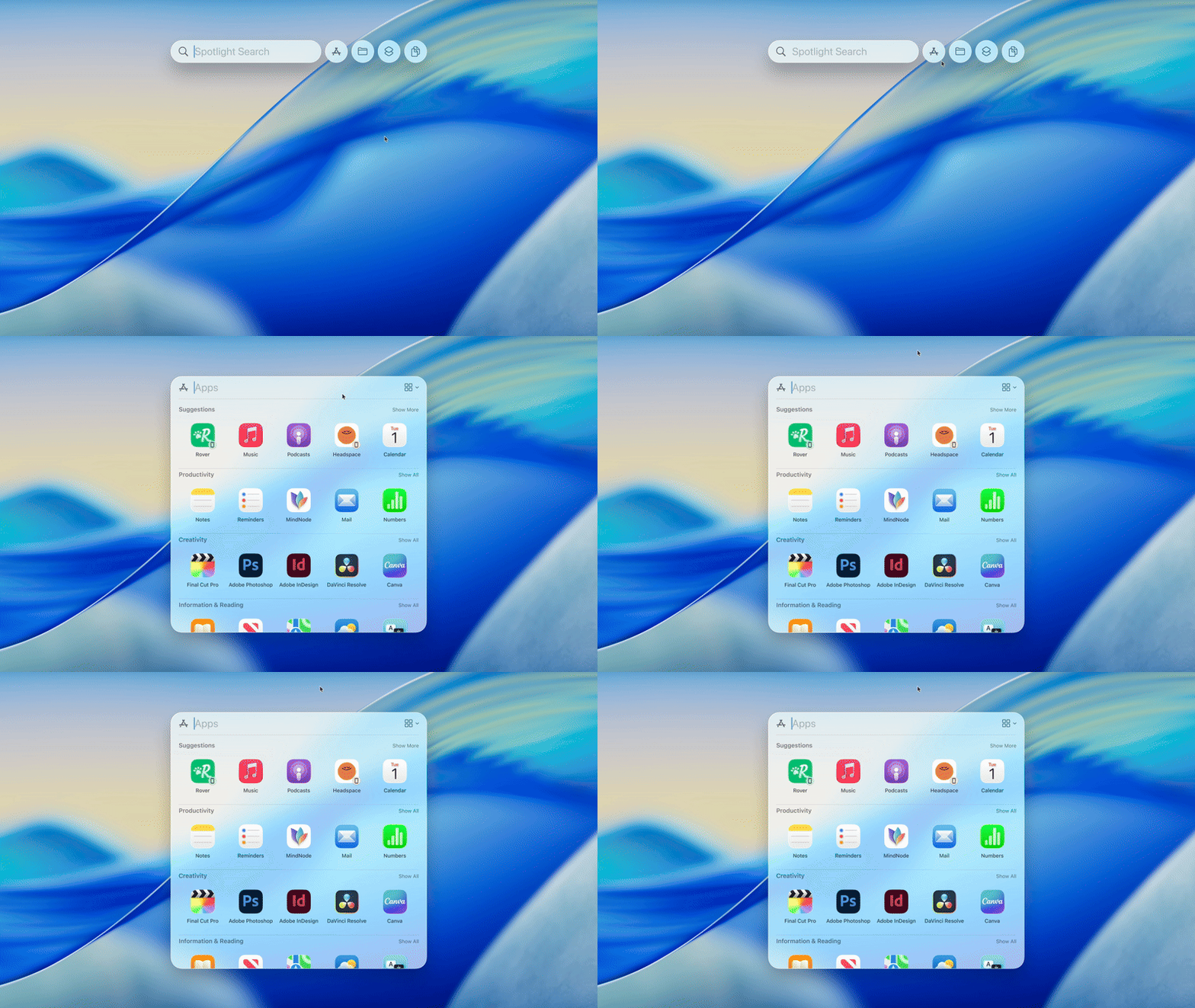
The developer betas already show simple Spotlight prompts automating sending emails, scheduling calendar appointments, or starting specific functions in a task like playing a podcast or starting a document with certain text. This gets even crazier when connected to the Apple Shortcuts app and its app intents framework, which basically make Spotlight the cool automation engine that Apple intelligence promised to be last year. Want to set a routine to email someone automatically, triggered by a specific time or date? Spotlight and Shortcuts do that. Want to get back to a specific work document when a reply to an email arrives? Shortcuts does that too. What’s crazy is this requires a little more tinkering in Shortcuts and typing what is basically command line into Spotlight search to trigger these actions, but you can see how this is one step away from telling Siri to do it and bringing the promise of Apple Intelligence to life (or at least part of that promise). This is probably the single best feature Apple has introduced for MacOS Tahoe, and while it can’t outright be shipped to iOS yet (due to using large local models), I can’t help but wonder what it will be like if it gets shipped in some way to iOS and iPadOS.
Foundational Models Framework

To bring up Apple Intelligence one more time does feel like beating a dead horse at this point. But if there’s one thing Apple keeps prioritizing with its AI efforts, it’s actually their local/offline models approach that makes them run as many AI workloads on the device, be it an iPhone or a Mac. What’s even better than that is opening up those models to developers to use in their own apps, and that’s exactly what the Foundational Models Framework is. The demo shown on stage showed an app reading a picture of a student’s notes and creating a quiz based on them, but it shows how many possibilities are available if developers actually take advantage of AI in a useful way. At its core it’s an amazing function, especially when the likes of Google’s AI capabilities in Pixel devices are locked away from developers, but it specifically will only make sense if more developers use it. Hopefully more of them do.
The Potentials
Now everything written here is written as “potentials” not just on their potential to be good, but especially the potential to be heavily impactful within Apple and the tech ecosystem as a whole. The reason why they are in such an ambiguous state is either based on the strength of the idea behind it or the originality of it(tons of these features are stolen from Android for example), so their impact could really be relative to how well they are executed or just how users react to them.
iPhone Call Screening + Hold for me
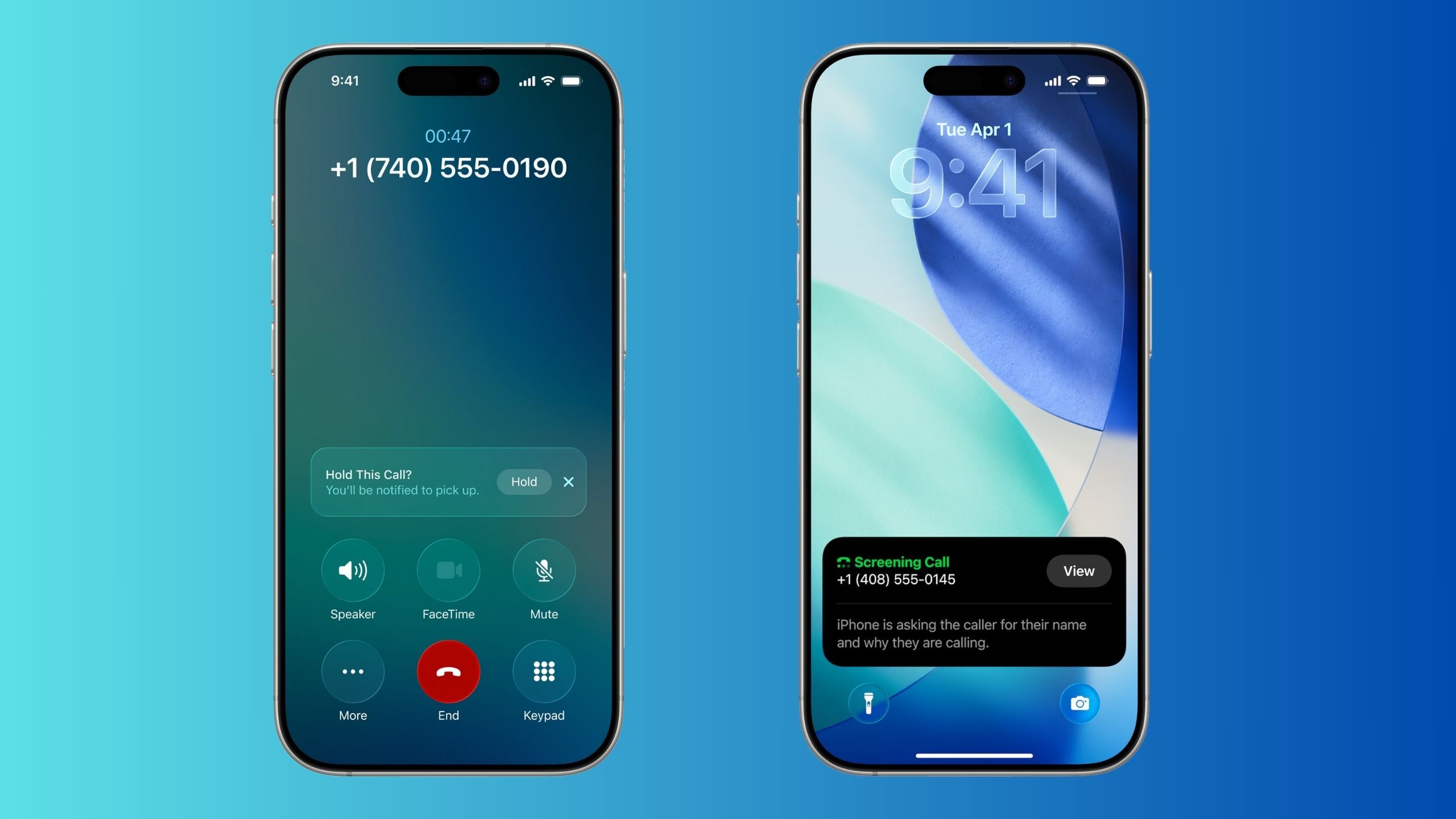
This is the most blatant “Stolen from Android” feature that Apple has just introduced but honestly, good, because it’s always been an awesome Pixel and Galaxy feature. The iPhone now blocks known spam callers and can wait on a call for you when calling something like Econet customer service. Now the Pixel Feature here does work in a hit or miss fashion, but perhaps Apple’s take will work worldwide right from the jump.
Apple Watch Workout Buddy

What if Jarvis from the Iron Man movies could help you keep fit? That’s essentially what Apple’s Workout Buddy is: a voice-based assistant meant to give you useful stats, motivate you and keep you on schedule for some of your workouts. This technically could be pretty awesome if Apple can nail how to make it consistently useful, after all if you have a computer program helping you keep your optimal running pace, you can probably work out better overall. However, this is one of those things that definitely needs testing before its effectiveness is measured.
Vision Pro : More shared activities

The Vision Pro may still me be more of a shiny halo product to show off rather than a useful tool for most people, but Apple has at least been fixing its many flaws bit by bit each year. This year that’s shown through more interactive group entertainment and enterprise activities, where people with Vision Pros can watch a movie together or play certain interactive games (that now support PSVR 2 controllers). More importantly, spaces with only one Vision Pro can better share it due to better guest accounts and account preferences being stored on an iPhone that can be shared with the device. All of this hints at Apple at least realizing the reality of its product, rather than their intended dreams, where they are willing to integrate more accessories even from competitors and acknowledge that most people who own one of these have to share it.
And that about does it for our thoughts on WWDC. There’s a lot more to cover of course, after all everything from better translation features to changes to Apple’s camera app happened, but for the most part what we covered is what we thought was most significant. Stay tuned for more coverage as all of Apple’s new software evolves and we see it take its final shape. But for now, thanks for taking the time to read this.
Related Stories:
Windows’ Secret Comeback Part 2 : RTX Spark, AI Dev Tools, XPS 13 for $600
LL Cool J Voice: Don't Call it a Comeback!!
Read More

OnePlus ISN’T Dying. But it’s definitely changing.
For Better or For Worse If there’s any topic in...
Read More
EcoCloud is the latest embarrassment in a trend of “unfinished” Zimbabwean Software
How are we not past this still?
Read MoreAbout Author