The Zimbabwean Perspective

A look at our lives and the tech we use in them

Apps Guides Smartphones Tech Guides

How to remove ads from the apps in your phone (without paying for Pro versions)

This one is only for Android (we’ll come back for you iOS)
Let’s face it, ads are the worst part of using almost any app we use today. Doesn’t matter if it’s a fancy camera filter app or a simple camera, 90% of the apps you download from the Play Store will come with ads, and those ads can even ruin what’s otherwise a pretty great app. Well thankfully for Android, we’ve found a pretty easy way to deal with 90% of ads in your apps, and it’s called AdGuard.

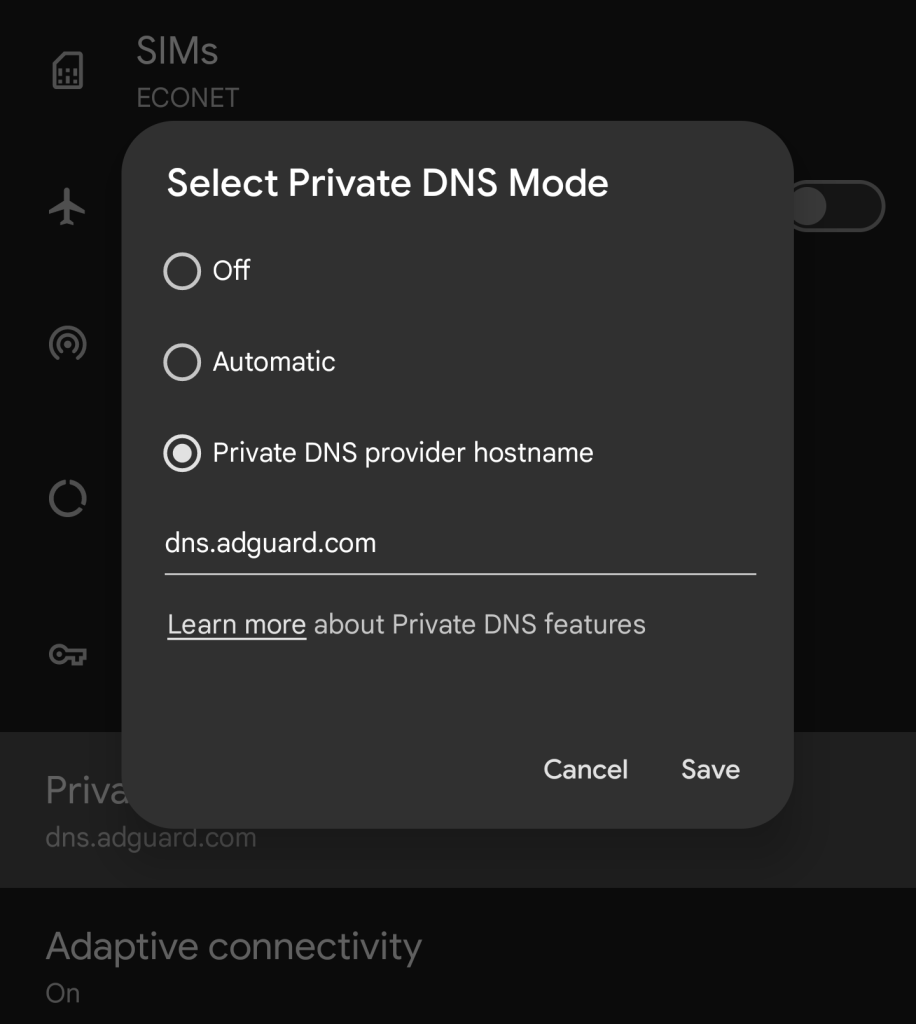
Using the private DNS feature in your Android phone settings, you can use AdGuard’s private DNS service to literally block ads in most of the apps you use. And if the video we put above hasn’t explained it easily enough, here is how it you do it.
  1. Go to the settings on your phone.
  2. Use the Settings search bar and type in DNS, the option of DNS or private DNS should pop up.
  3. Click it and make sure you find a section written Private DNS. Click it when you find it.
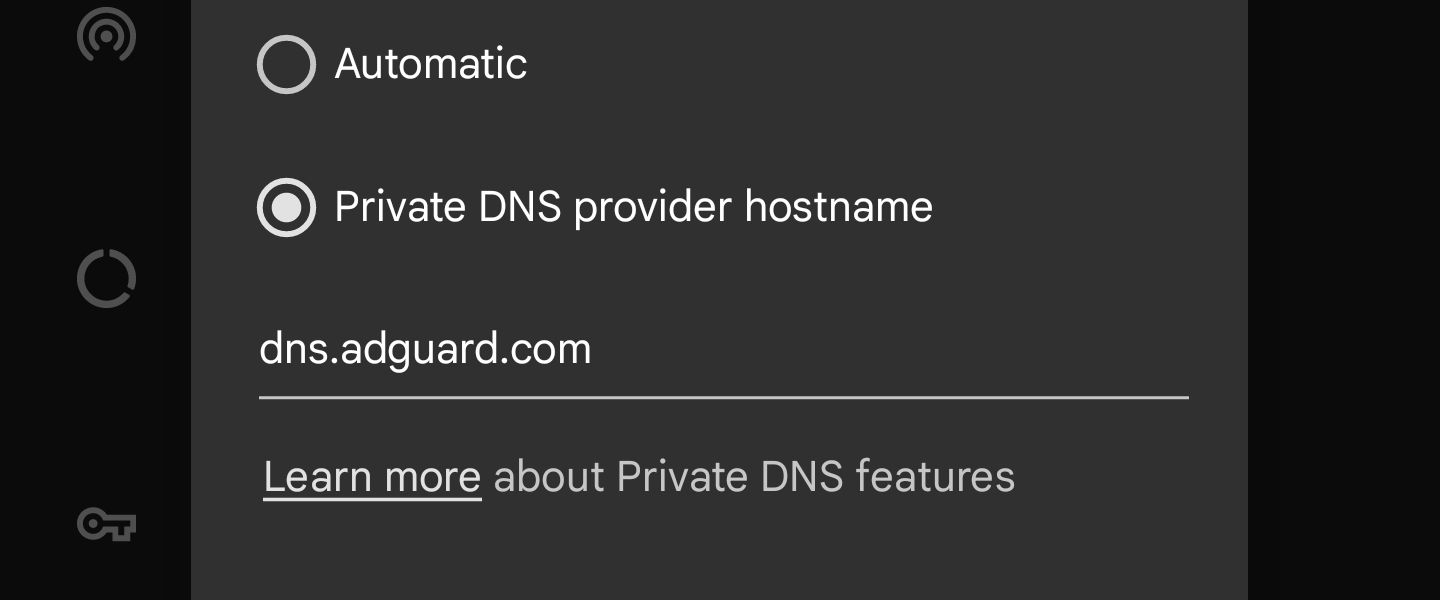
  4. Usually a pop-up will appear, click the Private DNS  Provider Hostname option and enter the text “dns.adguard.com”.
  5. Click Save.
And that should be about it. This should block ads in 90% of Android apps. The exception will be streaming platforms like Netflix  , YouTube and Spotify, who have built-in ads into their platform that unfortunately will get around this. However say goodbye to ads and ad tracking everywhere else. Have fun saving data, and power because of this!

Related Stories:

About Author

LEAVE A RESPONSE

Your email address will not be published. Required fields are marked *